
.NET Framework 3.5 SP1 for Windows
Overview
The Microsoft .NET Framework 3.5 Service Pack 1 is a foundational software framework designed for developers who create, run, and manage applications on the .NET platform. Built upon earlier versions including .NET Framework 2.0, 3.0, and 3.5, this service pack delivers a cumulative update that enhances stability, security, and functionality. It serves as a critical runtime environment for applications developed using Microsoft technologies, enabling seamless execution of desktop, web, and service-based software.
Target users include software developers, IT professionals, and system administrators who rely on .NET-based applications for enterprise and internal tools. The framework supports a wide range of development workflows, particularly those involving Visual Studio, Azure, and SQL Server integrations. Real-world usage scenarios include deploying business applications, maintaining legacy systems, and supporting internal software infrastructure.
The developer, Microsoft, is a well-established technology provider with a long history of delivering robust development platforms. The software is specifically designed for the Windows operating system and is distributed as a free utility to support the broader developer ecosystem. While detailed usage statistics are not available, its widespread adoption across enterprise environments underscores its importance in modern software development.
Key Features & Capabilities
- Comprehensive Development Platform: Offers a rich library of pre-built components and tools, enabling rapid development of desktop, web, and service applications. Developers can leverage this platform to build scalable solutions with consistent performance and structure.
- Incremental Updates and Enhancements: Includes cumulative improvements over .NET Framework 2.0, 3.0, and 3.5. These updates ensure developers have access to the latest features and refinements, supporting modern application requirements.
- Cumulative Servicing Updates: Delivers critical fixes and improvements for .NET Framework 2.0 and 3.0 subcomponents. This ensures backward compatibility and long-term stability for legacy and existing applications.
- Seamless Integration with Microsoft Ecosystem: Works natively with Visual Studio, Azure, SQL Server, and other Microsoft development and deployment tools. This integration streamlines workflows and enhances productivity across the development lifecycle.
- Runtime Environment Support: Provides the necessary runtime infrastructure for .NET applications to execute reliably on Windows systems. It manages memory, security, and code execution, ensuring consistent behavior across different environments.
These capabilities are particularly valuable in enterprise environments where application reliability and compatibility are essential. For example, developers can use the framework to maintain and update older systems while preparing for future upgrades.
User Interface, Workflow & Performance
The Microsoft .NET Framework 3.5 Service Pack 1 does not include a user-facing graphical interface. As a runtime and development framework, its interaction occurs primarily through command-line tools, system services, and integration with development environments like Visual Studio. Users typically install and configure it via the Windows Installer or system management tools.
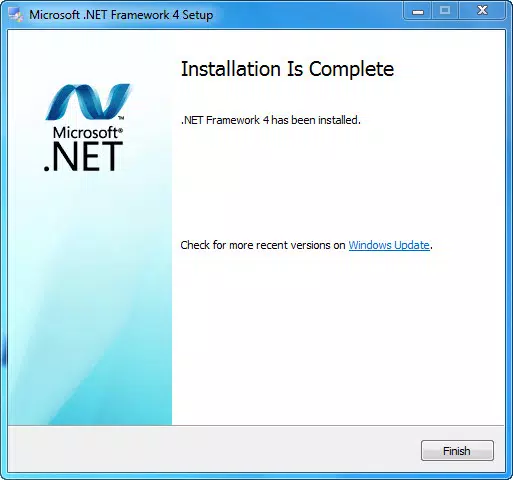
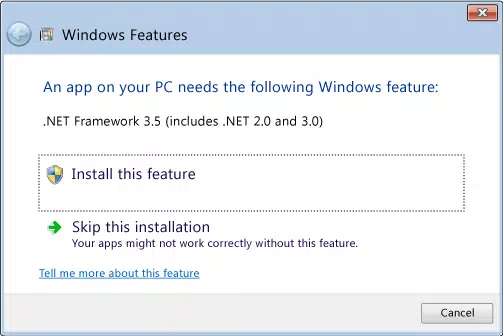
Navigation and workflow are indirect, relying on the host development environment. The installation process is standard for Windows software, with minimal user input required. Once installed, the framework operates in the background, supporting application execution without direct user interaction.
Performance details were not specified by the developer. However, as a mature framework with long-term use, it is designed to operate efficiently within Windows systems. Resource usage, including CPU and RAM behavior, is not publicly documented. Stability is assumed based on Microsoft’s standard servicing practices and the cumulative nature of the update.
Compatibility & System Requirements
The software is designed for Windows operating systems and is compatible with all versions that support .NET Framework 3.5. This includes Windows 7, Windows 8, Windows 8.1, Windows 10, and Windows 11, provided the necessary prerequisites are met.
The installation size is 100 MB, which is typical for a full framework update. Exact system requirements were not listed, but the framework generally requires a standard Windows installation with sufficient disk space and administrative privileges for setup.
Compatibility information is limited to the Windows platform. There is no official support for macOS or Linux, despite some cross-platform capabilities in later .NET versions. The software is intended for use on desktop and server systems running Windows.
Pros and Cons
Pros
- Free to download and use, reducing development overhead
- Provides critical runtime support for legacy and modern .NET applications
- Includes cumulative updates for older framework versions, improving stability
- Seamlessly integrates with Microsoft development tools and cloud services
- Well-established and widely supported across enterprise environments
Cons
- No graphical user interface; requires technical knowledge for setup and troubleshooting
- Not compatible with non-Windows operating systems
- Support for older framework versions may limit use in modern development pipelines
- Installation may require administrative rights and system restarts
- Performance and resource usage details not publicly disclosed
FAQ Section
Is .NET Framework 3.5 SP1 compatible with Windows 11?
Yes, the framework is compatible with Windows 11, provided the system meets the minimum requirements for .NET Framework 3.5.
Is this software safe to install?
Yes, as a Microsoft-released update, it is digitally signed and verified. It is distributed through official channels and poses no known security risks when installed correctly.
Does this require an internet connection to install?
Installation can be performed offline, but some components may require internet access for dependency resolution or updates.
What type of license does this software use?
The software is distributed under Microsoft’s standard licensing terms, which allow free use for development and deployment purposes.
Can I use this framework offline after installation?
Yes, once installed, the framework operates independently and does not require an active internet connection for application execution.
Final Thoughts
Microsoft .NET Framework 3.5 Service Pack 1 remains a vital component for developers and IT teams maintaining Windows-based applications. Its role as a stable, cumulative update ensures that both legacy and modern .NET applications continue to function reliably. While it lacks a user interface and is limited to Windows, its deep integration with Microsoft’s ecosystem makes it indispensable for enterprise and development workflows.
For developers working with older .NET applications or supporting internal systems, this framework provides essential runtime support and stability. It is especially valuable in environments where upgrading to newer .NET versions is not feasible.
Download .NET Framework 3.5 SP1 now


